Describe
The Describe section contains the functionality to create and use variety descriptions. The terminology used for each data type is inspired by the terminology of Bioversity International, UPOV, and CPVO.
Kora |
Bioversity International |
UPOV |
CPVO |
|---|---|---|---|
Descriptor |
Characteristic |
Characteristic |
|
Descriptor state |
State of expression |
State of expression |
|
Descriptor list |
Test Guidelines |
Technical Protocol |
|
Accession description |
Variety description |
Variety description |
|
Recorded value / observation |
Observation / record |
Observation / record |
Definitions
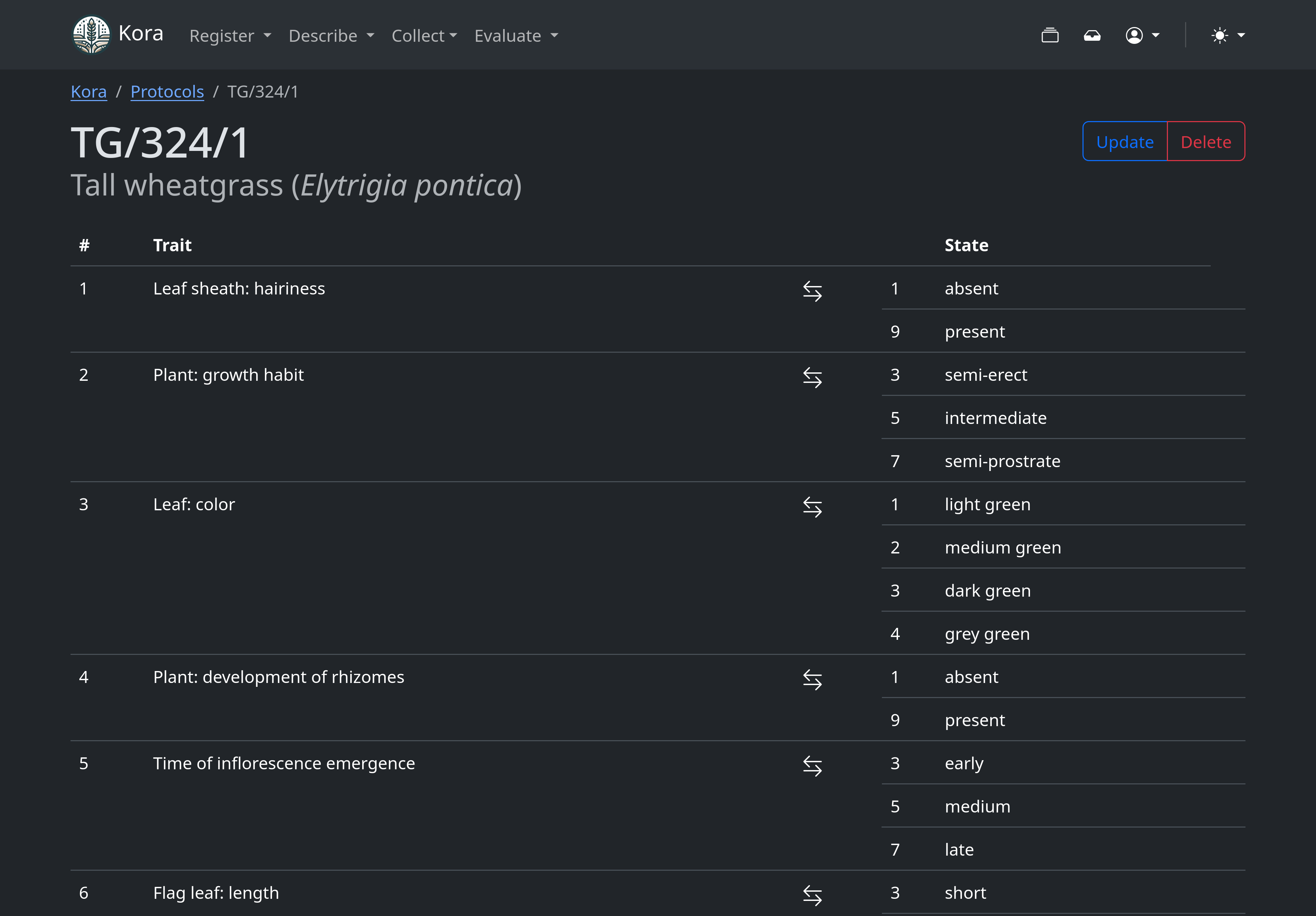
Traits
Traits (also named descriptors or characteristics) refer to any clearly definable attribute or characteristic that can be observed in a specific crop, and can be used to characterise varieties. The ideal trait description should be descriptive, unambiguous, and as concise as possible. It is usually stated in the following format:
Object:attribute
and within the same protocol Traits are usually identified by unique and sequential natural numbers.
Examples
Stem: length
Fruit: colour
It is common that within the same Protocol, some Traits have better potential of discriminating between varieties than the others. These Traits can be flagged as highly discriminating and are used considered when using the find similar varieties functionality.
States
States (also named states of expressions or notes) refer to any clearly definable expression which represent one possible state of a specific Trait. State description should refer to its Trait and be self-explanatory. As with Traits, each State is also identified by a natural number.
Examples
short
green
Protocols
Protocols refers to the list of Traits that can be used when compiling a variety descriptions. Different organizations working to harmonize variety descriptions refer to Protocols with different names like descriptor lists, test guidelines, technical protocols, etc.
Expressions
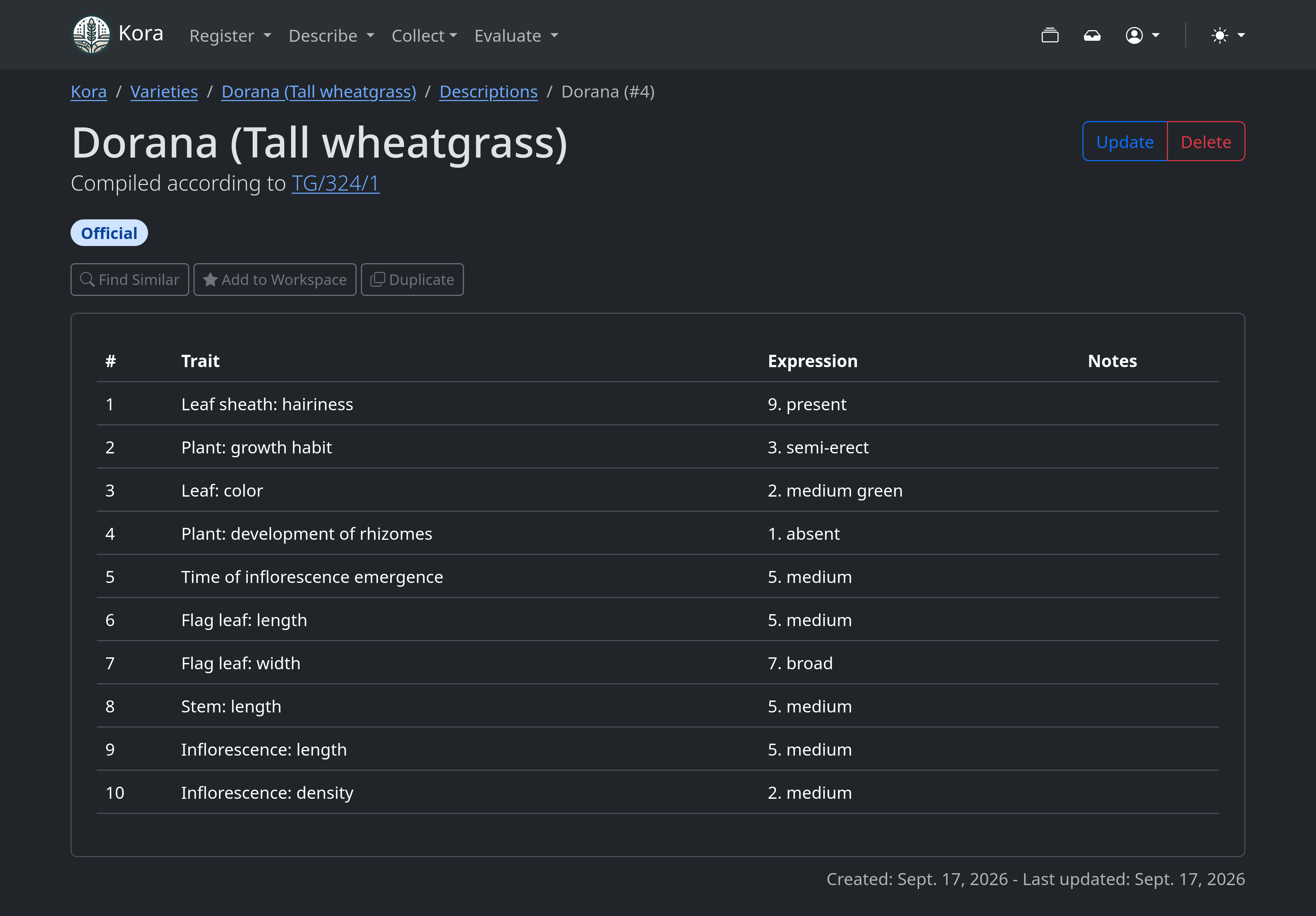
An Expression represent the recorded expression of a specific trait according to one of its possible states.
Descriptions
A Description represents a coherent group of expressions recorded for a specific variety, according to the possible states of expression of all the traits in a protocol.
Usage
See also basic interaction.
Defining equivalence between states across protocols
You can set equivalence groups between states from different protocols from the dedicated view accessible via the opposing arrow icons located to the right of the trait description in any existing Protocol.
From that view, drag states from sources to targets to define comparison groups. States belonging to the same group will be treated as equivalent when filtering descriptions by expressions. Comparison groups help maintaining compatibility between different protocols when trait and states carry the same meaning.
There may also be cases in which you could want to map multiple states to a single one, for example when you want to collapse states of expressions from a finer to a coarser scale. When viewing a trait with states grouped together, these are dimmed to help distinguish them from states from other protocols.
Warning
The system intentionally avoids imposing strict limitations on the equivalence groups you can define. However, complex grouping can lead to unexpected or confusing behaviour, especially when removing states from a group or filtering descriptions by expressions.
Commands
MapThe
Mapbutton maps the source states (from the chosen trait) and maps them one by one to the target states, until it runs out of space (i.e. when the source states are more than the target states) or there are no more states to map (i.e. when the source states are equal or less than the target states).ResetThe
Resetbutton removes all the target states from their group, therefore resetting all the trait’s association.